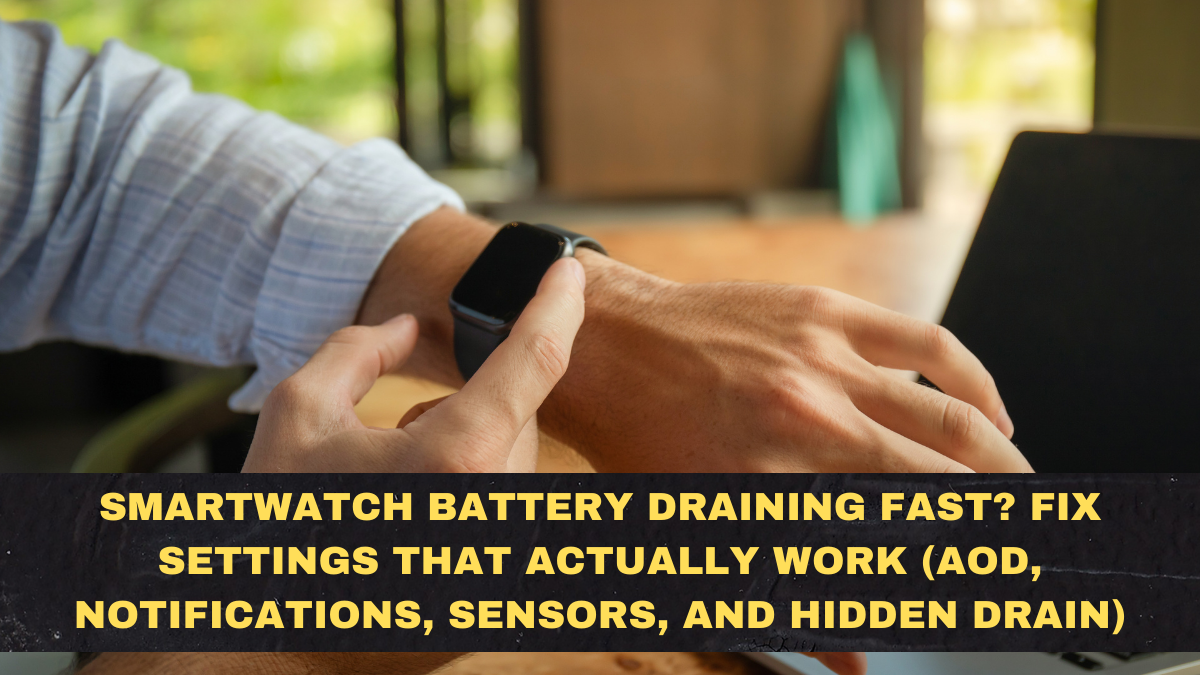
In 2026, fast battery drain has quietly become the number one complaint among smartwatch users in India, especially those using budget and mid-range models. People buy smartwatches promising seven to ten days of battery life, only to watch them die in two or three days with normal use. This gap between advertised battery life and real-world performance has created the false belief that cheap smartwatches are simply bad products. In reality, most of this battery drain is not caused by defective hardware. It is caused by default settings that are wildly inefficient and background features that quietly burn power all day long.
What makes smartwatch battery drain so frustrating is that it often feels random. One week your watch lasts five days. The next week it barely survives two. Notifications lag, charging cycles become unpredictable, and users start assuming the battery is dying permanently. This guide explains why smartwatches drain battery so fast in 2026, which settings are secretly killing backup, what realistic battery life you should expect from budget and mid-range watches, and the exact fixes that actually work instead of placebo tips copied from forums.
Why Smartwatch Battery Drain Is So Bad in 2026
The core problem is feature overload. Modern smartwatches, even budget ones, now run dozens of background processes at the same time. Always-on display, continuous heart-rate tracking, sleep tracking, stress monitoring, Bluetooth calling standby, notification mirroring, GPS polling, app sync, cloud backup, and firmware telemetry are all active by default on many models.
Each of these features consumes a small amount of power individually. Together, they drain the battery aggressively. Most brands test battery life with half of these features turned off. Users run them all turned on.
This mismatch creates the illusion of defective batteries.
Always-On Display Is the Biggest Battery Killer
Always-on display, or AOD, is responsible for more battery drain than any other single feature on most smartwatches.
Even when the screen looks dim and static, it is still refreshing pixels continuously. On AMOLED displays, AOD can consume between 10 and 25 percent of total daily battery life by itself.
If your smartwatch supports AOD and your battery is draining fast, turning it off almost always increases battery life by one to two full days.
This one setting alone solves half of most battery complaints.
Notifications Are a Silent Drain You Don’t Notice
Every time your phone sends a notification to your smartwatch, three things happen. The Bluetooth radio wakes up. The processor wakes up. The screen lights up.
If you receive 150 to 300 notifications per day across WhatsApp, Instagram, Gmail, Telegram, system alerts, and app updates, your smartwatch is waking up hundreds of times daily.
This constant micro-wake cycle drains battery much faster than people realize.
Disabling notifications for non-essential apps often adds one extra day of battery life instantly.
Continuous Heart-Rate and SpO2 Tracking Eats Power All Day
Most smartwatches ship with 24×7 heart-rate tracking enabled by default. Some also enable SpO2 monitoring during sleep.
These optical sensors flash green or red LEDs into your skin thousands of times per day. This process is energy-intensive.
Switching heart-rate tracking from continuous mode to 10-minute or 30-minute intervals reduces battery drain significantly with minimal impact on trend tracking.
Disabling SpO2 unless you actually use it further extends battery life.
Bluetooth Calling Standby Mode Is a Hidden Drain
On Bluetooth-calling smartwatches, the microphone and speaker system stays in a low-power standby mode waiting for incoming calls.
This background readiness consumes far more power than simple notification mirroring.
If you rarely use calling on your smartwatch, disabling the calling feature or disconnecting Bluetooth when not needed can dramatically improve battery life.
Background App Sync and Firmware Telemetry
Many smartwatch companion apps continuously sync data in the background. Some watches also upload diagnostic data to servers.
This causes frequent Bluetooth handshakes and background processor activity.
Reducing sync frequency to manual or once every few hours cuts unnecessary drain.
The Realistic Battery Life You Should Expect in 2026
Most smartwatch users are chasing impossible battery expectations.
Here is the reality for budget and mid-range watches in India in 2026.
| Usage Pattern | Real Battery Life Expectation |
|---|---|
| All features on, AOD enabled, heavy notifications | 2–3 days |
| AOD off, notifications filtered, heart-rate interval mode | 4–6 days |
| Minimal features, no calling, low brightness | 6–9 days |
If your watch falls within this range, it is behaving normally.
The Exact Battery Fix Settings That Actually Work
These are the only fixes that reliably improve smartwatch battery life.
Turn off always-on display.
Reduce screen brightness to 40–60 percent.
Disable notifications for non-essential apps.
Set heart-rate tracking to interval mode.
Disable SpO2 tracking unless needed.
Disable Bluetooth calling if unused.
Reduce background sync frequency.
Turn off vibration for minor alerts.
Most users regain two to three days of battery life by applying just these changes.
When Battery Drain Is Actually a Hardware Problem
Sometimes battery drain really is a hardware issue.
Signs of real battery failure include sudden drops from 50 percent to zero, overheating during charging, swelling, and charging time increasing dramatically.
If your watch shows these symptoms within one year of purchase, it is likely a defective battery.
Why Factory Reset Sometimes Fixes Battery Drain
Firmware bugs and corrupted system states can cause runaway background processes.
A factory reset clears these errors and often restores normal battery behavior.
This should be your last resort after changing settings.
Conclusion: Smartwatch Battery Life Is Mostly a Settings Problem
In India in 2026, most smartwatch battery drain complaints are not caused by cheap hardware or dying batteries. They are caused by default settings that activate every feature simultaneously and quietly burn power all day long. Brands design watches to look impressive out of the box, not to last as long as possible on a single charge.
The moment users turn off always-on display, filter notifications, reduce sensor polling, and disable unused calling features, battery life usually doubles overnight. This is not optimization magic. It is simply aligning usage with hardware reality.
The uncomfortable truth is that no smartwatch under ₹10,000 can run every feature continuously and still last a week. Once expectations are reset and settings are tuned realistically, most watches behave far more predictably and far less frustratingly.
FAQs
Why is my smartwatch battery draining so fast even when idle?
Because background features like AOD, sensors, Bluetooth standby, and notifications remain active.
Does turning off always-on display really help?
Yes. It is the single biggest battery-saving change on most watches.
How often should heart-rate tracking be set to save battery?
Every 10–30 minutes offers a good balance between trends and battery life.
Is Bluetooth calling responsible for battery drain?
Yes. Standby calling mode consumes significant power.
Should I factory reset my smartwatch for battery issues?
Only after trying all settings fixes first.
What battery life is normal for budget smartwatches in 2026?
Between three and six days with normal use.